Nevect

NEVECT / PRODUCT

Connect clicks, conversions and campaign ROI.

See how Nevect conversion tracking software connects traffic sources, landing pages and offers. Match S2S conversions to the right clicks, compare cost with revenue and use paths and rules to distribute traffic.

Nevect
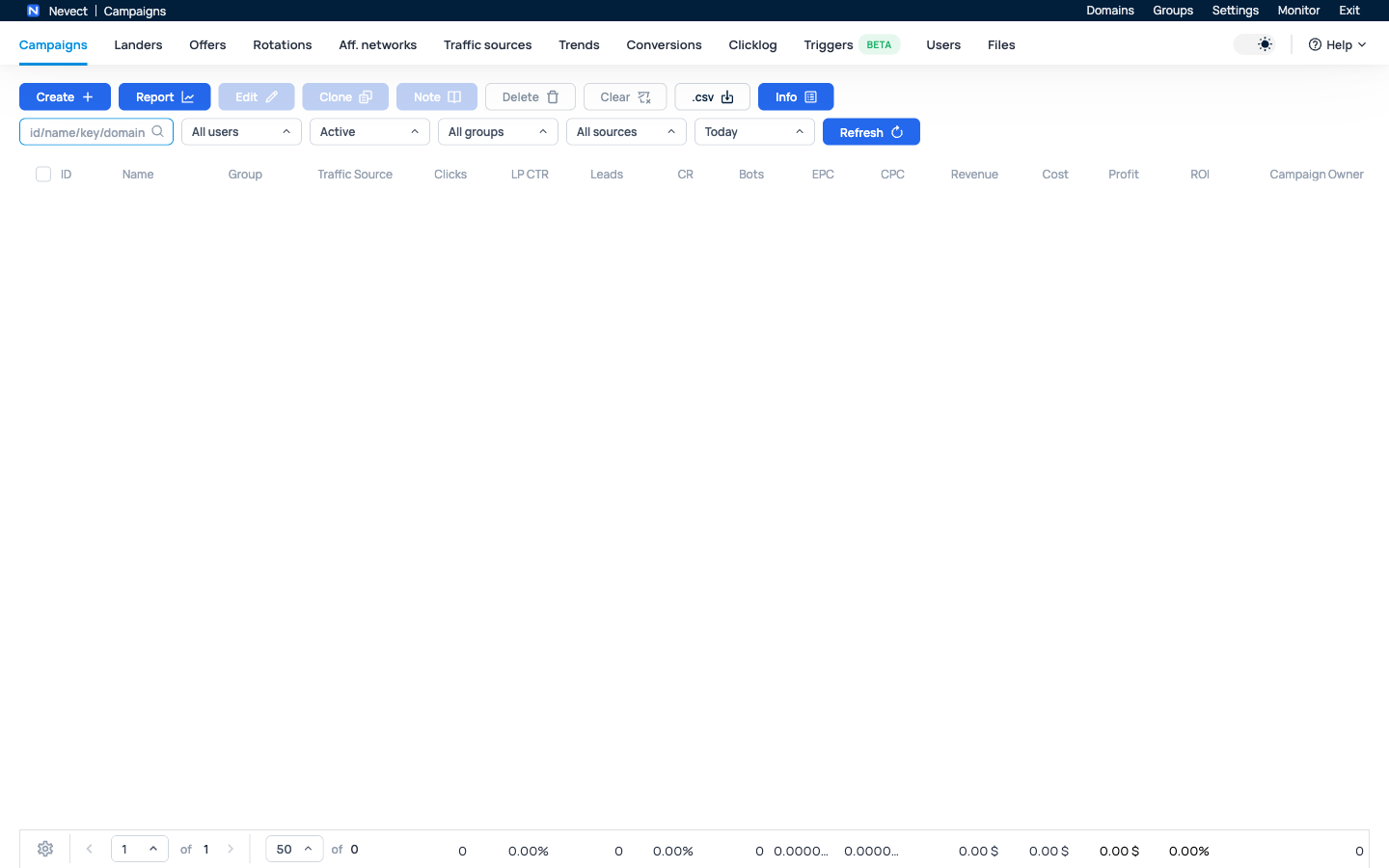
Nevect campaign workspace
Nevect interface · No campaign data shown

One campaign, a traceable workflow.

01

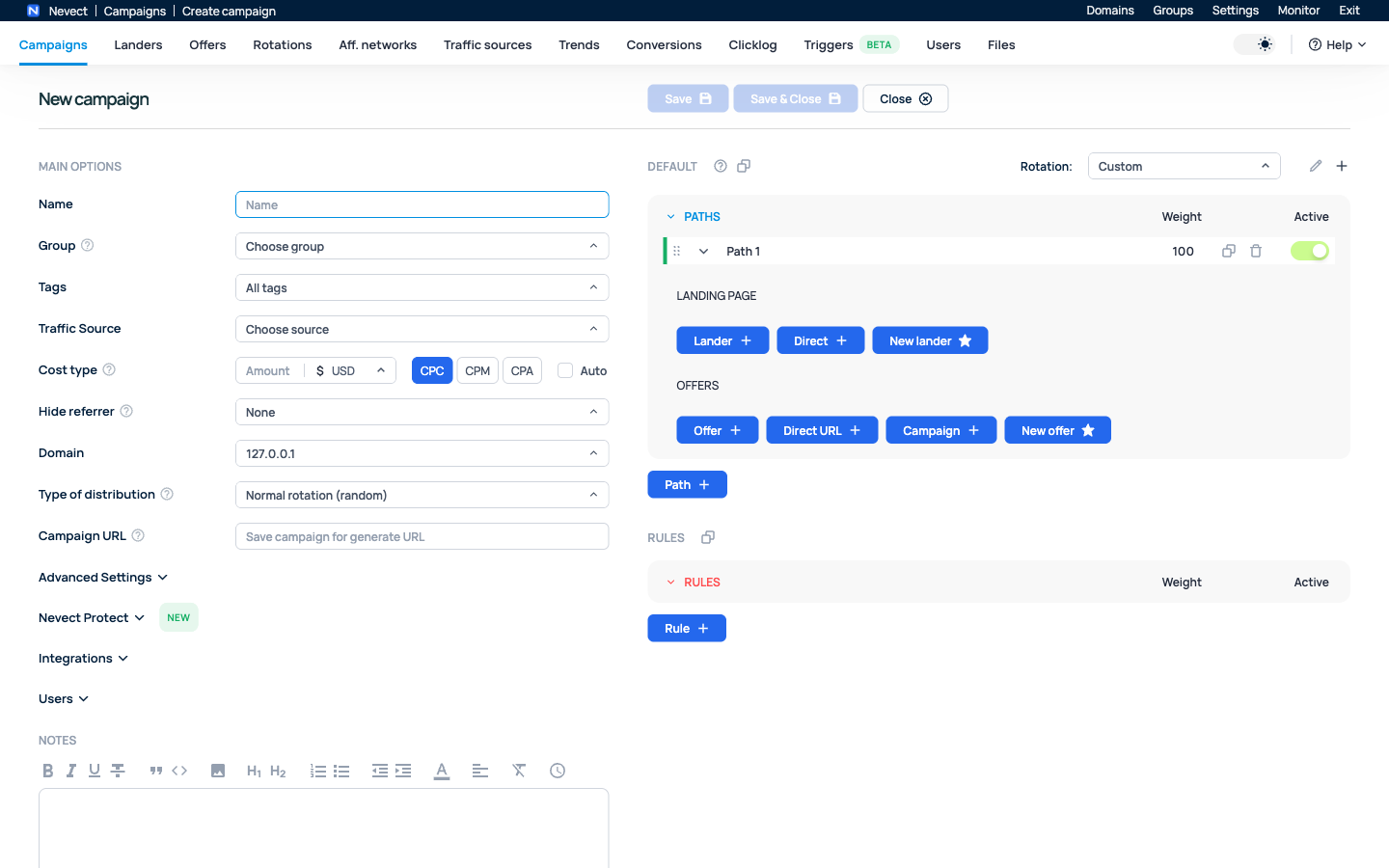
Follow the click from source to offer

Keep the traffic source’s external ID separate from Nevect’s click ID, so each system receives the identifier it understands.

  • Configure traffic source macros and reporting tokens.
  • Create a direct path or connect a lander and offer.
  • Copy the generated Campaign URL and inspect a controlled visit.
Create your first campaign ↗
02

Attribute conversions with S2S postbacks

Return the Nevect click ID from your affiliate network or offer to match a lead or sale to its visit.

  • Use the generated incoming Postback URL.
  • Map payout, currency and the statuses your partner sends.
  • Check the conversion before enabling an outgoing source postback.
Configure S2S conversion tracking ↗
03

Compare cost, revenue and ROI

Explore the campaign dimensions you actually record. Accurate source costs and partner payouts are the inputs to useful reports.

  • Choose a consistent date range and timezone.
  • Group by campaign or recorded source tokens, then inspect clicks.
  • Check cost and revenue before acting on ROI or EPC.
Read campaign reports ↗
04

Distribute traffic with paths and rules

Use campaign paths, relative weights and conditions to choose eligible destinations. Verify the result for both matching and fallback traffic.

  • Compare lander and offer combinations.
  • Set weights at the relevant distribution level.
  • Review rules, caps and rotation before interpreting a split.
Set up paths and weights ↗
Nevect
Nevect campaign workspace
Nevect interface · No campaign data shown

Plan for a server you manage.

Nevect runs on a dedicated Ubuntu 22.04 or 24.04 x86_64 server with root access. You manage hosting, DNS, TLS and backups. External platforms require their own accounts and configuration; a tracking template does not imply automatic cost synchronization.

Check installation requirements ↗

Keep traffic quality in view.

Use Nevect Protect’s available detection settings alongside campaign rules. Optional external integrations require their own accounts and configuration.

Documentation ↗

Make access intentional.

Configure users and permissions for the campaigns and resources they need. Keep API access scoped to the work it performs.

Documentation ↗

From purchase to an active installation.

A completed purchase makes a license term available in your account. Apply it to the intended Tracker ID, then check its expiry. To renew, apply another term to the existing binding. Server hosting is billed separately.

Compare current plans ↗

Try the workflow with one controlled visit.

Install and activate Nevect, create a simple campaign and verify a click and conversion. Check the recorded cost and payout before interpreting ROI or enabling an outgoing source postback.

Choosing an affiliate ad tracker?

Compare hosting responsibilities, conversion tracking, reports and license terms. Use a practical checklist to decide whether Nevect fits your campaigns.

NEVECT

Bring your next campaign into focus.

Start with a clear setup and a workflow you can build on.

Get started ↗